Screenshots
Actual product screenshots
Explore the real interface and analytics injected by the AetherCP Chrome extension.
1
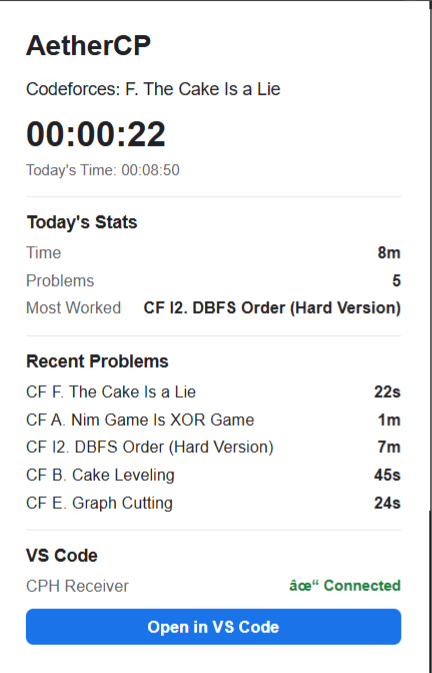
Extension Popup
The main AetherCP popup in the toolbar. Access your active session timer, today's total coding duration, and recent problem list instantly.
codeforces.com/contest/2239/problem/A
2
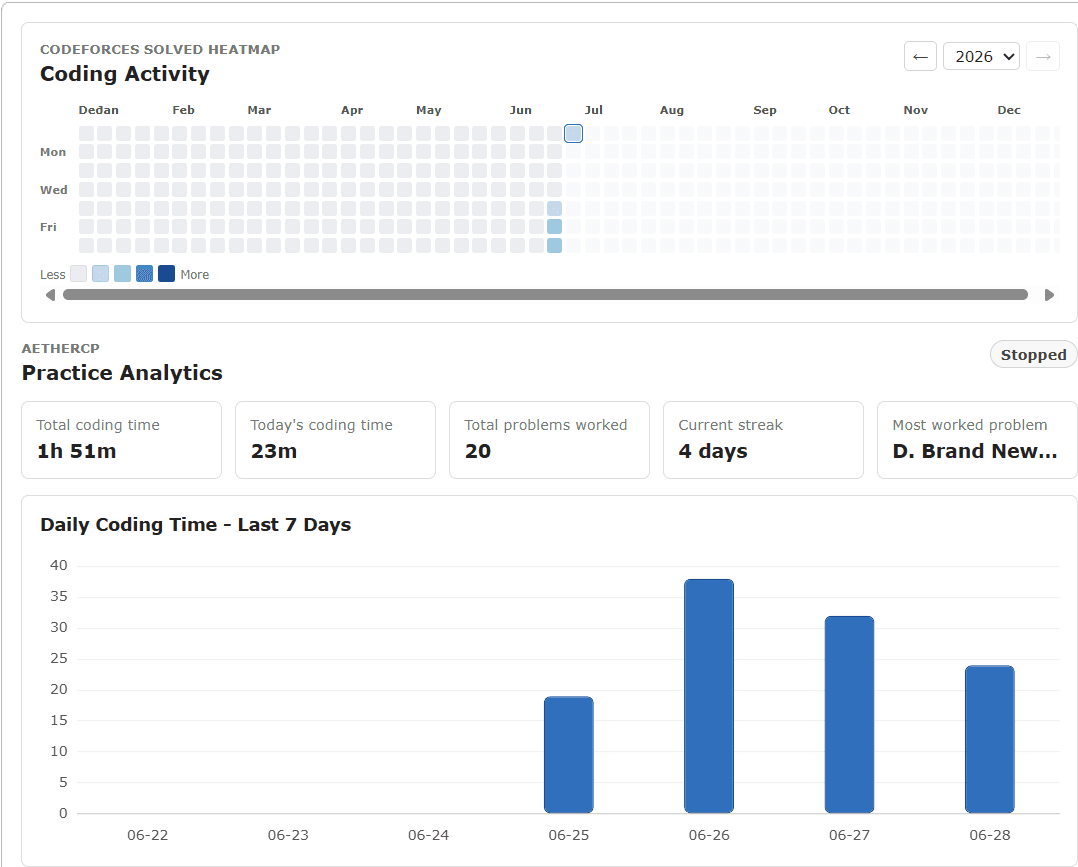
Analytics Dashboard
The detailed practice analytics panel. Displays daily coding times, solved problem counts, active streaks, and a contribution heatmap.
codeforces.com/problemset
3
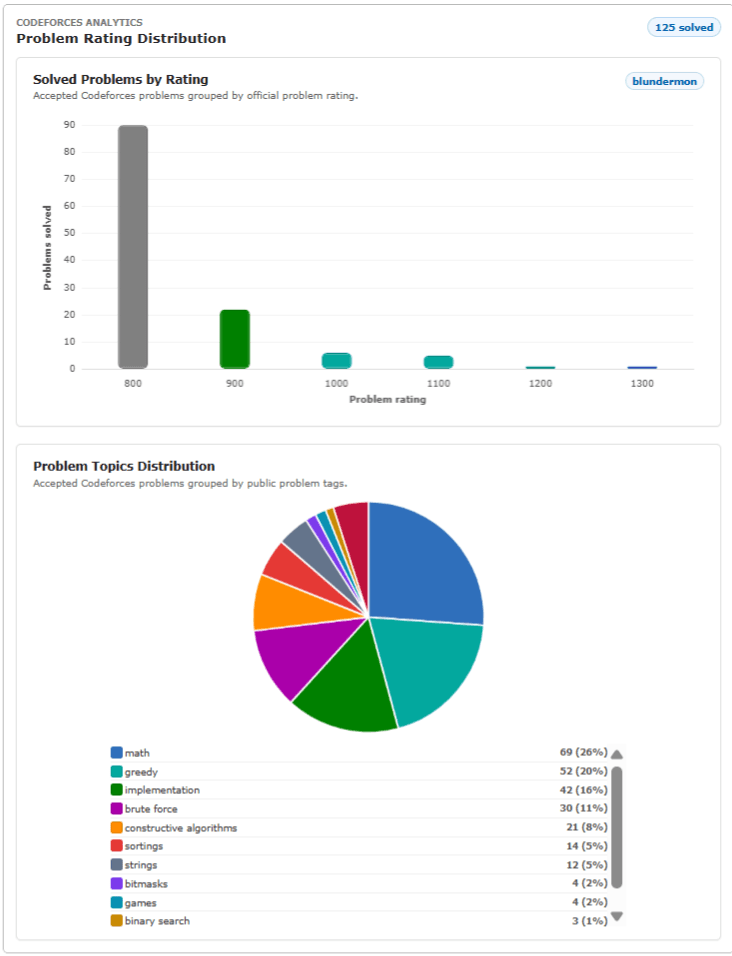
Codeforces Profile Analytics
Analytics panel injected directly into Codeforces profiles. Shows rating progression, difficulty spreads, top tags, and contest performance.
codeforces.com/profile/tourist
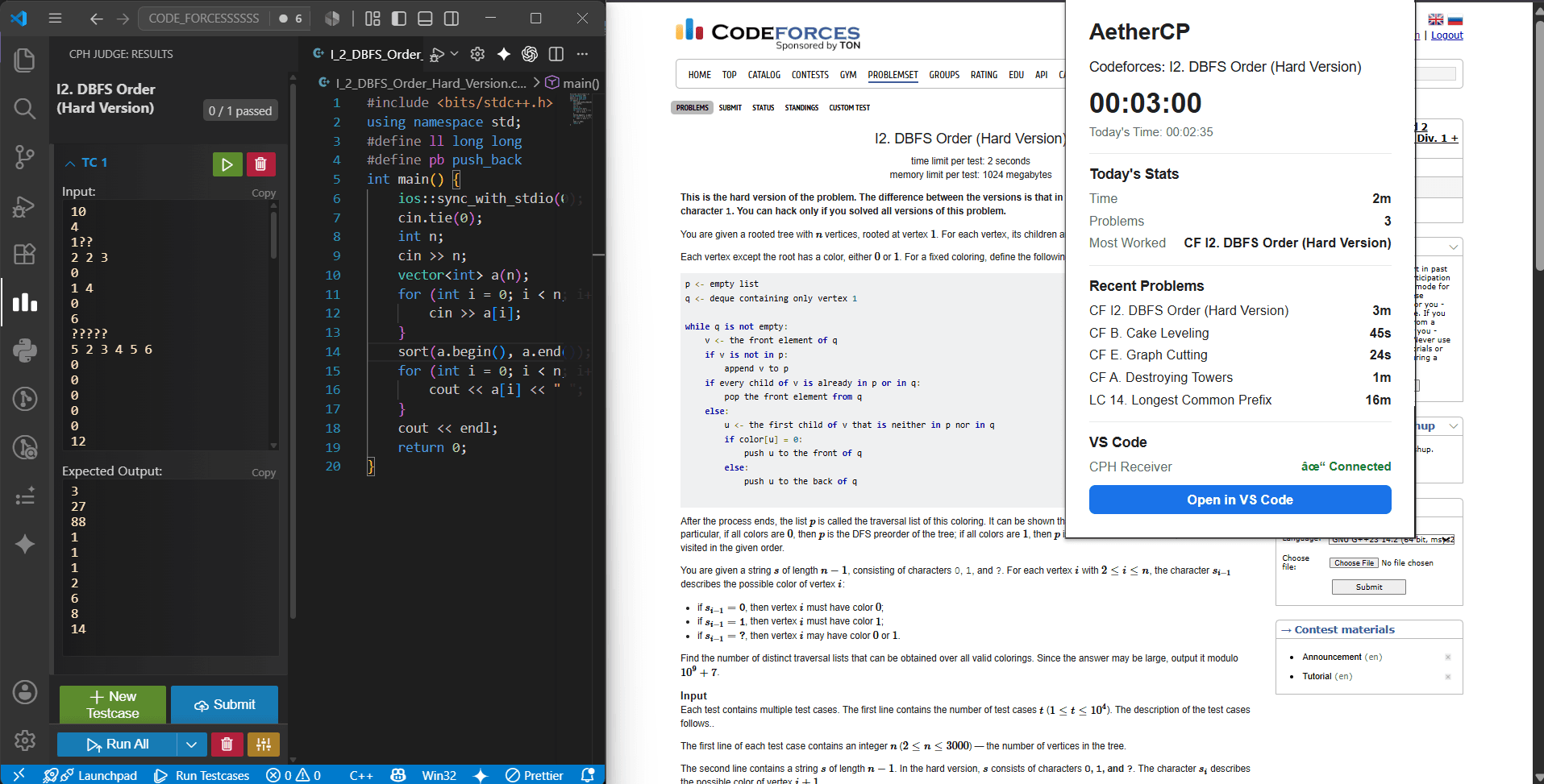
4
VS Code Integration
Automated editor workspace setup. Open active contest problems, limits, and sample test cases inside your editor in one click.
codeforces.com/contest/2100/problem/E
5
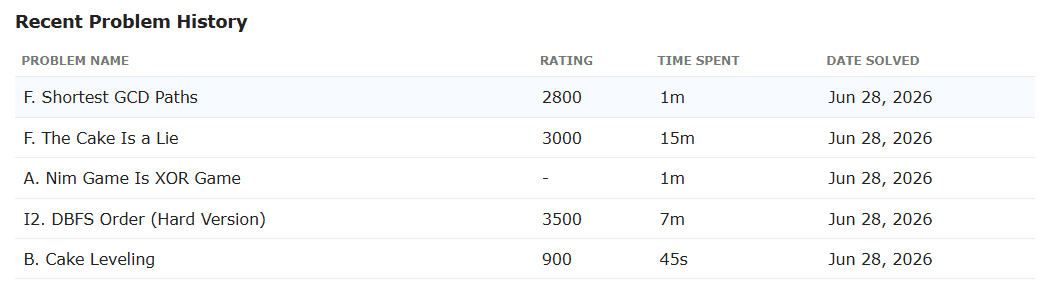
Problem History
A complete log of recent problem sessions in local storage, detailed with duration, difficulty rating, and timestamps.
codeforces.com/profile